Monday, February 11, 2013

How to create H2 database from H2 DB engine UI

Using following simple steps you can create your own H2 database with in few minutes.

1. Download H2 database engine UI from here.

2. Extract downloaded pack and go to the bin directory.
   ex : "/h2/bin"

3. Start DB console.
    if you are in Linux : sh h2.sh
    if you are in windows : h2.bat


4. Once you start it, you will see H2 database console you browser.
   "https://127.0.1.1:8082/login.jsp?jsessionid=db5908d78d9d265318c24cdcd69697a0"


5. if your console doesn't have H2 configuration go to the ".h2.server.properties" file locates in your home directory (Linux). if you are using windows this will be at user/documents and settings.

6. Open it and add below entry in .h2.server.properties file.
 "2=Generic H2 (Embedded)|org.h2.Driver|jdbc\:h2\:LOCATION-OF-DATABASE-WANT-TO-CRATE"

7. Now restart h2.sh and now you will see H2 configuration.

8. Enter database name what you add in properties file and enter new user name and password to that database.

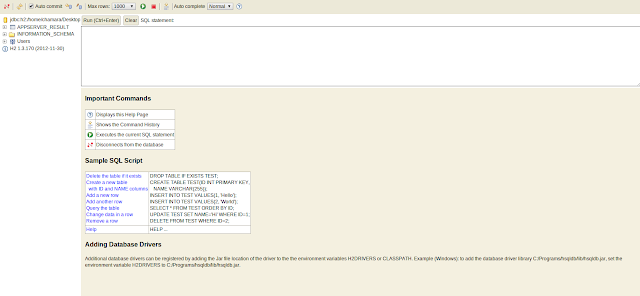
9. Click connect button and now it creates new database and login to the database.

Tuesday, January 22, 2013

How to reset security in Jenkins


One may accidentally set up security realm / authorization in such a way that you may no longer able to reconfigure Jenkins.
When this happens, you can fix this by the following steps:
  1. Stop Jenkins (the easiest way to do this is to kill the servlet container.)
  2. Go to $JENKINS_HOME in the file system and find config.xml file.
  3. Open this file in the editor.
  4. Look for the true element in this file.
  5. Replace true with false
  6. Remove the elements authorizationStrategy and securityRealm
  7. Start Jenkins
When Jenkins comes back, it's in the unsecured mode where everyone gets full access to the system.
If this is still not working, trying renaming or deleting config.xml.

https://wiki.jenkins-ci.org/display/JENKINS/Disable+security

Sunday, January 20, 2013

How to Install JENKINS RedHat Servers


Here is the simple steps to install JENKINS on RHEL servers.

  • sudo wget -O /etc/yum.repos.d/jenkins.repo http://pkg.jenkins-ci.org/redhat/jenkins.repo
  • sudo rpm --import http://pkg.jenkins-ci.org/redhat/jenkins-ci.org.key
  • sudo yum install jenkins
Now start JENKINS Server
  •   sudo /etc/init.d/jenkins start
Same as above you can stop or restart jenkins server.

  •  sudo /etc/init.d/jenkins stop/restart 

Monday, January 7, 2013

How to create custom keystores to WSO2 CARBON servers

By default all wso2 carbon servers shipped with the "wso2carbon.jks" as a default key-store. But  default keystore is not recommended to use in production environment due to the security vulnerabilities. So in that case custom keyso

Thursday, December 13, 2012

How to start H2 DB management tool in wso2 carbon servers

This guide will helps you how to view/operate H2 databases which embedded with the wso2 carbon servers.

1. Download wso2 products from here.
2. Open carbon.xml located in CARBON_SERVER/repository/conf
3.  Uncomment H2  db configuration (first 3 properties are the minimum requirement)

 <H2DatabaseConfiguration>  
    <property name="web" />  
    <property name="webPort">8082</property>  
    <property name="webAllowOthers" />  
    <!--  <property name="webSSL" />  
    <property name="tcp" />  
    <property name="tcpPort">9092</property>  
    <property name="tcpAllowOthers" />  
    <property name="tcpSSL" />  
    <property name="pg" />  
    <property name="pgPort">5435</property>  
    <property name="pgAllowOthers" />  
    <property name="trace" />  
    <property name="baseDir">${carbon.home}</property> -->  
 </H2DatabaseConfiguration>  


4. Start carbon server
5. Open bowser and enter "http://localhost:8082/" (if you change webport in above configuration, URL should be change based on that)
6. Add database informations as showed in pic1.
pic1


 6. Now you will see H2 console.